DNS Lookup
Check DNS records for any domain and quickly see whether core records like A, AAAA, MX, NS, TXT, CNAME, and SOA are present and resolving properly.
See the most important DNS records fast.
Helpful when a website or email is not behaving as expected.
Understand whether a problem may be DNS-related.
What this DNS lookup tool shows
This page helps you inspect the key DNS records behind a domain so you can understand whether it is configured correctly for websites, email, or related services.
That makes it useful for developers, operations teams, founders, marketers, and support teams who want a quick DNS snapshot without switching between multiple tools.
Why it matters
Many website and email problems are actually DNS issues, so a fast lookup can save time before deeper troubleshooting.
What is DNS?
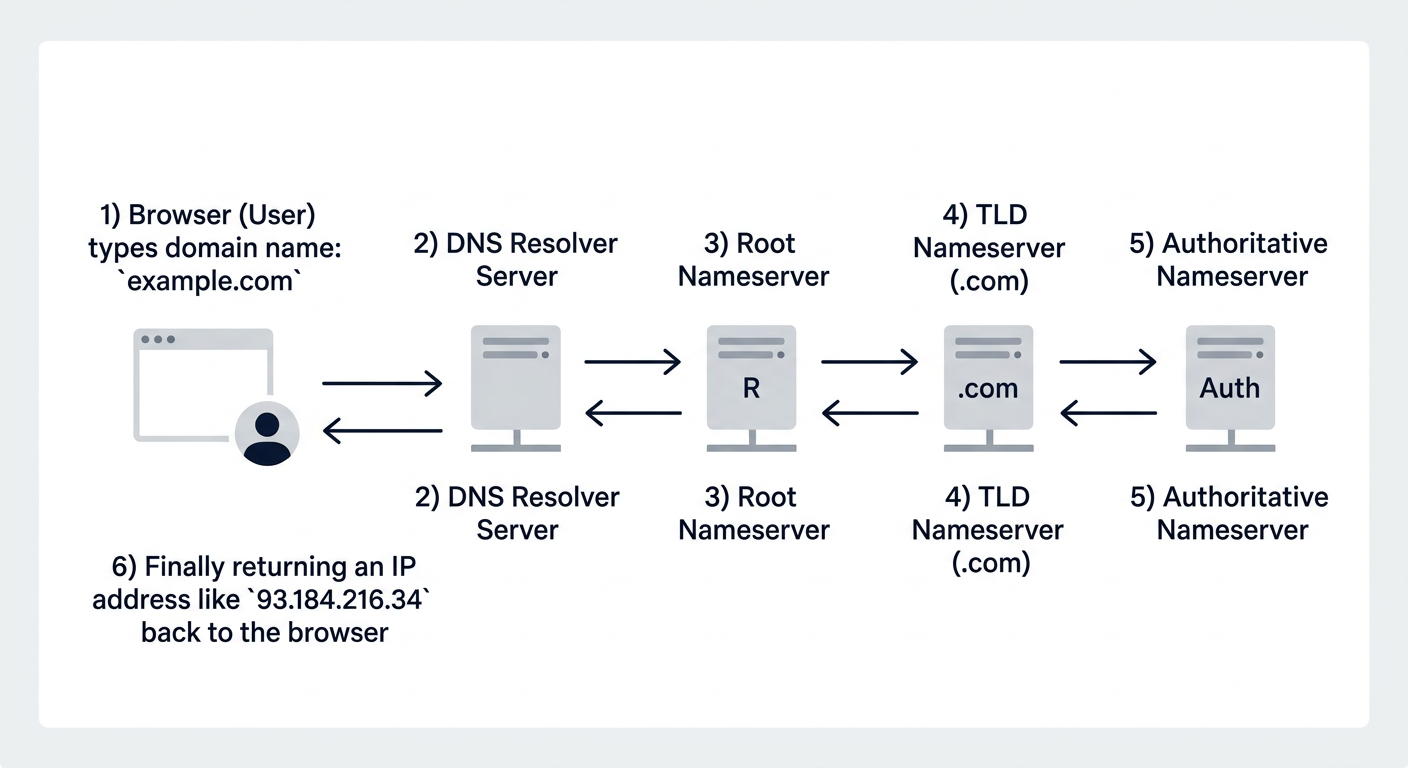
DNS translates domain names like google.com into IP addresses that computers use to reach each other on the internet.
What is an A record?
An A record maps a domain name to an IPv4 address and is one of the most important DNS records for websites.
What are nameservers?
Nameservers are the authoritative servers responsible for answering DNS queries about a domain and serving its DNS records.
What does NXDOMAIN mean?
NXDOMAIN means the queried domain does not exist in DNS, usually because it was mistyped, expired, or never configured.
Is the problem DNS or the website server?
If DNS resolves but the website still fails, the server is more likely the problem. If DNS itself fails, the issue starts before the server is even contacted.
Why DNS cache causes website errors
Browsers, devices, and ISPs cache DNS records temporarily, so stale DNS data can make a website look broken even after records have been updated.
Why DNS issues feel confusing to users
DNS problems can be hard to spot because they do not always fail the same way for everyone. One user may load the site normally, another may reach an old server, and a third may see an error page.
Why this page is useful during launches and migrations
DNS checks are especially useful during domain launches, hosting changes, email migrations, CDN changes, and verification setups.
Frequently asked questions
Can DNS issues make a website look down?
Yes. If the domain is not resolving, the site can appear offline even if the server itself is still working.
Can this help with email issues?
Yes. MX and TXT records are often relevant when diagnosing mail delivery and routing problems.
What if no records are returned?
That can indicate missing configuration, resolver problems, expired domains, or nameserver issues.
Who is this tool for?
It is useful for developers, IT teams, support teams, marketers, and anyone troubleshooting websites or email domains.