What is my IP address?
Full network information dashboard — detected instantly from your connection.
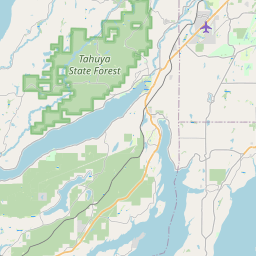
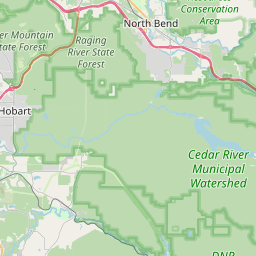

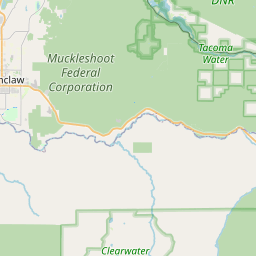


Your public IP is sent with every request you make. Websites, CDNs, and ad networks can see and log it.
Your IP originates from a hosting or proxy network — your real IP is likely hidden.
Your connection does not appear to use the Tor anonymity network.
Residential IPs are assigned to home users by ISPs and are considered more trustworthy by most services.
Your connection to this page is encrypted with TLS. Traffic between you and the server cannot be read by third parties.
Even without cookies, websites can fingerprint your browser using the combination of signals below. Each value alone is harmless — together they form a near-unique profile.
This page only displays your public IP address. It does not store or log personal user activity.
What is an IP address?

An IP address (Internet Protocol address) is a unique numerical label assigned to every device that connects to the internet. Think of it like a postal address — without one, nobody would know where to send the data you request.
There are two kinds of IP addresses you interact with daily. Your device IP is an internal, private address assigned by your router — something like 192.168.1.5. It's only visible within your local network and never leaves it. Your public IP, shown above, is what the rest of the internet sees.
Your IP address also plays a role in how quickly websites load. CDN providers (like Cloudflare or Akamai) use it to serve content from the data centre geographically closest to you, reducing latency.
If you use a VPN to hide your IP address, your traffic is tunnelled through a server in another location, so websites see that server's IP instead of yours.
One copy-paste HTML snippet — detects your visitors' IP, country, ISP, VPN status and more.
Frequently asked questions
What is an IP address?
An IP address is the number used to identify your connection on the internet. When you open a website, send a message, or load a video, that address tells other systems where to send the data back.
The easiest way to think about it is as a return address for internet traffic. Without it, websites would not know where to deliver the page, image, or file you asked for.
Most people use two kinds of IP addresses: a public IP, which websites can see, and a private IP, which your router uses inside your home or office network. The page above shows your public IP.
IPv4 vs IPv6: what's the difference?
IPv4 is the older and still very common format. It uses four number groups separated by dots, like 93.184.216.34.
IPv6 is the newer format, created because the internet needed far more addresses than IPv4 could provide. It looks longer and uses letters as well as numbers, for example 2001:0db8:85a3::8a2e:0370:7334.
In plain terms, IPv6 gives the internet much more room to grow. If your connection above shows a long address with colons, you're using IPv6.
Can someone track you using your IP address?
To a degree, yes. Websites can log your IP address and use it to estimate things like your country, city, internet provider, or whether you're on mobile data, a VPN, or a datacenter network.
What your IP does not usually reveal is your exact home address or your name. That kind of link normally sits with your internet provider, not the website you're visiting.
The bigger issue is that an IP can be used as one piece of a broader profile. When it's combined with browser details and other signals, it becomes easier for services to recognise the same visitor across different sessions.
How to hide your IP address
The most common way to hide your IP is to use a VPN. A VPN sends your traffic through another server, so websites see that server's IP instead of your own.
Tor is another option. It is usually better for anonymity, but it's also much slower, which makes it less practical for everyday browsing, streaming, or downloads.
You can also use a proxy, but many proxies do not encrypt traffic, so they are generally less private and less secure than a good VPN.
How does IP geolocation work?
IP geolocation works by matching your IP address against large databases that connect IP ranges to places. That's how services can make a reasonable guess about your country, region, city, and provider.
Country-level results are usually quite accurate. City-level results are more approximate, especially for mobile networks, corporate networks, and VPN services.
So if this page shows the wrong town or area, that doesn't necessarily mean the lookup failed — it usually means the data is only accurate to a broader location nearby.
What is an ISP?
An ISP, or Internet Service Provider, is the company that gives you internet access. At home, that might be your fibre, cable, or mobile provider.
Your ISP usually assigns your public IP address. On many home connections that IP can change from time to time, while some business connections use a fixed IP that stays the same.
That's why this page can often tell you which provider you're using — the IP range is registered to that company.
What is an ASN?
An ASN is a number used to identify a network on the internet. Large internet providers, cloud platforms, and other major networks each have their own ASN.
These numbers help route traffic between networks. In simple terms, they help the internet figure out which path your data should take to get where it's going.
If you see an ASN listed in your IP details, it's another clue about which organisation controls the network your traffic is coming from.