Network Tools & Diagnostics
A practical collection of tools for checking DNS, latency, headers, ports, IP details, and website security.
Use them when a site feels slow, won’t load, or is behaving strangely. Everything runs in your browser, so you can quickly test what’s happening without installing anything.
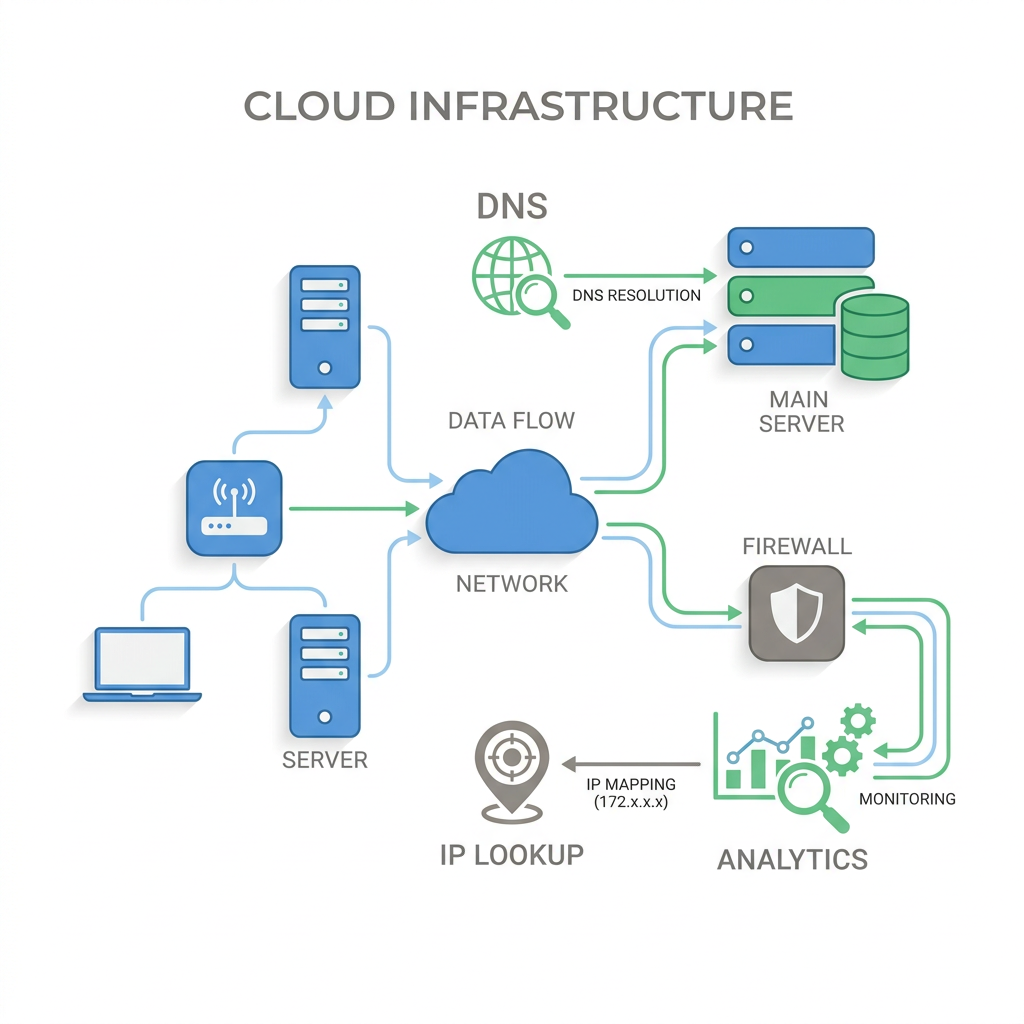
What Are Network Tools?
Network tools help you figure out why a website or server is not working the way it should. They make it easier to check whether the issue is DNS, routing, server response, latency, SSL, or something else entirely.
Instead of guessing, you can run a few quick checks and narrow the problem down. That is useful for developers, site owners, support teams, and anyone trying to understand what is actually going wrong.
Common Use Cases
- →A site won’t load: check DNS first, then test reachability with ping or traceroute
- →Something changed in DNS: confirm the records and see whether the update has propagated yet
- →You suspect a security issue: review SSL, headers, and common weaknesses on the site
- →A service is unreachable: check whether the expected ports are actually open
- →You need more context on traffic: look up IP ownership, location, hosting, and reputation
Why Use SiteAlive’s Tools?
Easy to get started
Run quick checks without setting up desktop software
Useful in real situations
Built for the kinds of problems people actually run into
Fast checks
Get answers quickly when you are debugging something live
Works well together
Move from DNS to headers to ports without jumping between sites
A Simple Way to Troubleshoot
The easiest way to debug a website problem is to go step by step. Start with DNS to make sure the domain points where it should. Then check whether the host responds at all with ping or traceroute.
If the server is reachable but the site still looks broken, inspect the headers, test the ports, and review the SSL setup. That usually tells you whether the issue is local, network-related, or on the server itself.
What You Can Check Here
You can run DNS lookups, propagation checks, ping tests, traceroute, WHOIS, IP lookups, reverse IP checks, header checks, speed tests, port scans, and security scans from one place.
That makes this page useful when a site is down, slow, misconfigured, or acting differently depending on the network or location.
Tool-by-Tool Guide
Network Fingerprint Scanner
Use this when you want to see what your browser and connection may be exposing. It is especially handy for checking VPN setups, WebRTC leaks, and other privacy-related signals.
Website Intelligence
This gives you a quick read on how a site appears to be built and served. Helpful when researching a website, checking a migration, or comparing setups.
Compare Websites
Good for side-by-side checks when you want to compare speed, uptime, and general reliability between two sites.
IP Risk Analysis
Use this when an IP looks suspicious and you want more context before trusting or blocking it.
IP Lookup
Turns an IP address into something more readable by showing details like network owner, location context, and hosting clues.
DNS Lookup
One of the first checks to run when a domain is not working. It shows whether the records are there and whether they point where you expect.
Ping Test
A quick way to check whether a host responds and how long it takes. Useful for basic reachability and latency checks.
Website Speed Test
Use this when a site feels slow and you want a clearer picture of what may be dragging performance down.
Traceroute
Shows the path traffic takes to a destination. Helpful when something works from one location but not another.
Port Scanner
Checks whether the ports a service depends on are actually open and reachable from the outside.
HTTP Headers
Useful for checking redirects, caching, content types, security headers, and other server response details.
DNS Propagation
Best used after changing DNS. It helps you see whether the update has spread yet or whether you are still seeing cached results.
WHOIS Lookup
Helpful for checking registrar details, important dates, and general domain registration information.
Reverse IP Lookup
Shows which domains appear to share the same IP address, which can be useful for research and hosting analysis.
Website IP Lookup
Good for connecting a website to the IP behind it, especially during DNS changes, migrations, or firewall work.
Website Security Scanner
Runs a quick check for common web security issues like SSL problems, weak headers, and missing protections.
Frequently Asked Questions
What are network tools used for?
They help you narrow down where a problem is happening, whether that is DNS, latency, routing, server response, ports, or SSL.
Which tool should I use first?
Usually DNS Lookup. If the domain resolves correctly, move on to Ping, Traceroute, or HTTP Headers depending on what seems broken.
Are these tools useful for SEO and site migrations?
Yes. They are useful for checking redirects, DNS changes, SSL setup, response headers, and speed during a launch or migration.