How our checks work
Learn how website status checks work, how SiteAlive detects outages, what up, down, and degraded really mean, and which tools help explain DNS, routing, and server problems.
How your browser reaches a website
What happens when you check a website?
A website status check is more than a single page request. First, the domain has to resolve through DNS. Then the server has to accept a network connection. After that, the website still needs to return a usable HTTP response quickly enough to count as healthy.
That is why SiteAlive separates normal responses, degraded responses, and full outages. A site can be reachable but slow, reachable but returning bad server errors, or unreachable because the problem starts before the browser even reaches the web server.
If you want a deeper explanation of the layers behind those results, read our about monitoring page, browse live website status categories, or explore the full network tools section.
How SiteAlive verifies an outage
Monitoring locations
SiteAlive runs checks from multiple independent network locations rather than a single server. This matters because internet connectivity is not uniform — a site can be fully reachable in one region while being completely unreachable in another due to routing failures, ISP-level blocks, or regional infrastructure problems. You can also compare regional signals on the global status map.
By probing from geographically distributed vantage points, we can distinguish between a true global outage (the site is down everywhere) and a regional issue (the site is only unreachable from specific locations or networks). This distinction is critical: a site that appears DOWN from one location might still be serving the majority of its users normally.
Location diversity also protects against false positives. If a single probe fails but all others succeed, the failure is attributed to a local network problem — not to the site itself. Only when failures are consistent across multiple independent locations is the site's status updated.
Checks run continuously and results update every few minutes, so the status you see reflects the site's current state — not a snapshot from hours ago.
Preventing false outage reports
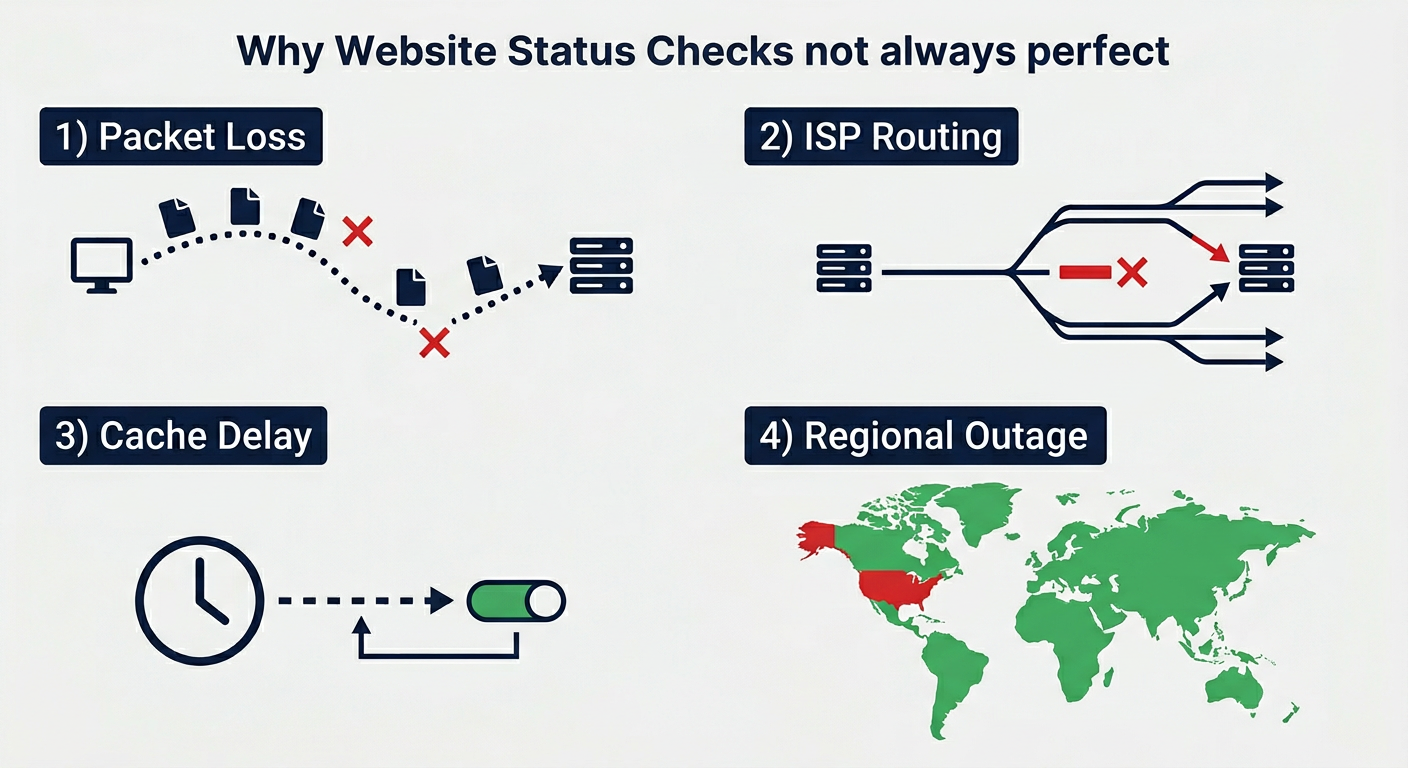
Why status checks are not always perfect
No monitoring system — including ours — can give a 100% accurate picture of a site's status at all times. Here's why, and what that means in practice.
Use the SiteAlive dashboard for ongoing monitoring
The public status pages explain what is happening right now, but the website monitoring dashboard is where ongoing monitoring happens for your own websites.
Instead of running one-off checks manually, you can add your sites, track their latest status, review uptime history, and get alerts when something changes.
Start with the free dashboard for one site, then move to Pro or Scale if you need more sites, faster refresh intervals, and broader coverage.
How to investigate a failed website check
SiteAlive status pages tell you whether a site looks up, down, or degraded. If you want to understand why, these free tools help you move from a simple status result to a clearer technical explanation.
1. Confirm the domain resolves
A website can look down when the real problem is DNS. Start by checking whether the domain resolves to the expected records and whether recent DNS changes have spread worldwide.
2. Test basic reachability
If DNS is healthy, the next question is whether the server or network path is reachable. Ping and traceroute help show whether packets get through and where delays or failures begin.
3. Check what the web server returns
A server may be online but still broken for visitors. Looking at HTTP headers and speed results makes it easier to spot redirects, caching issues, timeouts, and slow application responses.
4. Gather more technical context
When you need deeper insight, infrastructure and security tools help explain what sits behind the site, which IPs are involved, and whether misconfiguration may be contributing to the problem.
You can also browse the full network tools directory or read more about our monitoring approach.
Public status data
SiteAlive makes its monitoring results publicly accessible. Every site's current status, response time, HTTP status code, and check history are available through the site's status page — no account required.
For developers and integrators, machine-readable status data is available via a simple API endpoint. Each site page exposes a /api/status response with the latest check result in JSON format, making it easy to build dashboards, alerting pipelines, or status widgets on top of SiteAlive's data.
We believe monitoring transparency is important: when a site is down, you should be able to see exactly when it went down, what error was returned, and how long the outage has lasted — without having to log in or pay for a subscription.