SiteAlive Chrome Extension: Check Response Time While You Browse
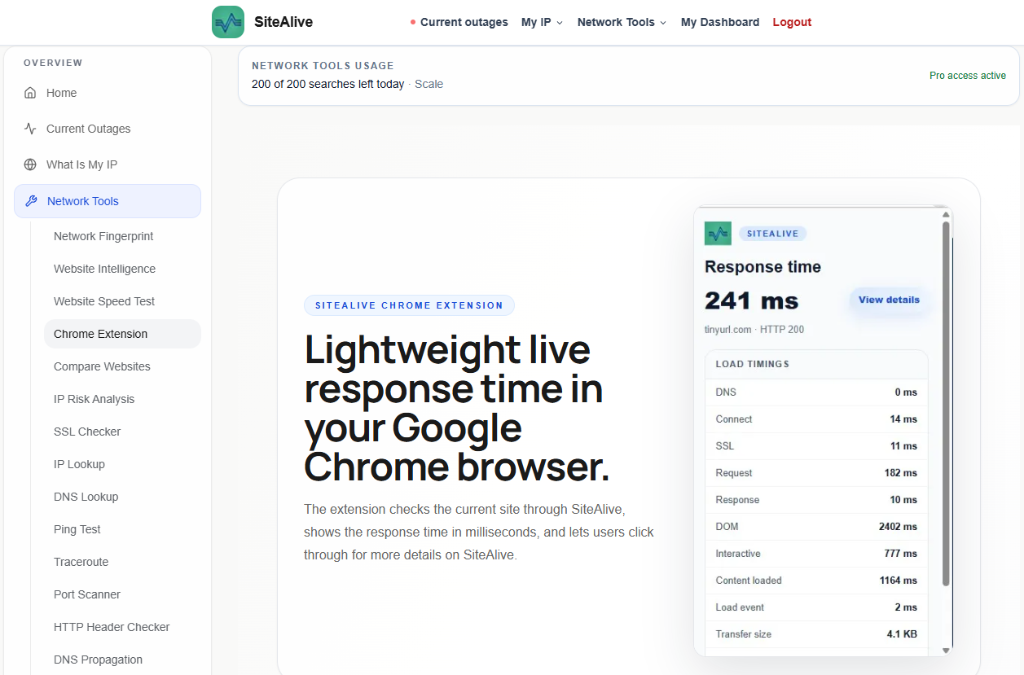
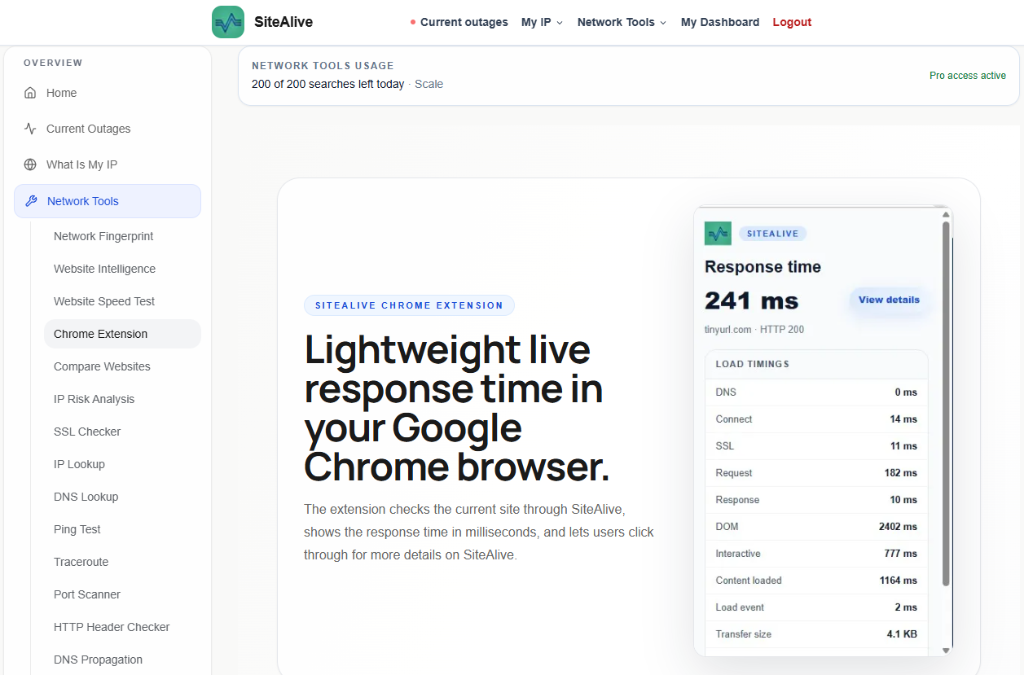
The SiteAlive Chrome extension helps you check live website response time directly from your browser, making quick performance checks easier while you browse.
- Built to be practical and easy to verify in real-world use.
- Written and reviewed by the SiteAlive team.
- Updated to stay aligned with current product details and changes.
The SiteAlive Chrome extension is built for quick website response time checks directly inside Google Chrome. Instead of opening a separate tool every time you want to understand how a website is responding, the extension gives you a lightweight view from your browser while you visit a page.
What the SiteAlive Chrome extension does
It can be useful for website owners, developers, marketers, support teams, and anyone who wants a fast signal when a site feels slow. The extension checks the current website through SiteAlive, shows the response time in milliseconds, and lets you click through for more details on SiteAlive. You can also read more on the SiteAlive Chrome extension page.
When to use the extension
For everyday use, this means you can quickly spot whether a website is loading normally or showing signs of delay. A slow response time does not always mean a full outage, but it can be an early warning that something is wrong with DNS, hosting, server load, third-party scripts, or network conditions.
You can install the SiteAlive extension from the SiteAlive Response Time page on the Chrome Web Store. If you want to browse other browser tools too, visit the wider Chrome Web Store extensions category.
How it fits with website monitoring
The extension is not meant to replace full uptime monitoring, but it is a helpful companion for quick checks. Use it when a page feels slow, when you are reviewing your own site, or when you want a simple response time signal without leaving the browser.
FAQ
Is the SiteAlive Chrome extension free to use?
Yes. You can install it from the Chrome Web Store and use it for quick browser-based response time checks.
Does the extension replace uptime monitoring?
No. It is best used as a fast browser companion. Full monitoring is still better for ongoing alerts, history, and scheduled checks.
What does response time mean?
Response time is the time it takes for a website to respond to a request. Higher numbers can indicate slow hosting, network issues, or temporary server problems.
Can I use it on any website?
You can use it while browsing websites in Chrome to get a quick SiteAlive response time signal for the current page.
Related posts

How to Earn Free Months of Website Monitoring with SiteAlive Referrals
A practical guide to SiteAlive referrals: your code never expires, referred users get 45 days of free Pro access, and every 3 code uses can unlock 30 free days for you.

Fastest Website and Slowest Websites on SiteAlive
SiteAlive has launched Fastest Website and Slowest Websites — two new pages that make website performance easier to compare, explore, and understand at a glance.